Gmail Send-as ends in January 2027. Keep replying as support@ from one inbox.
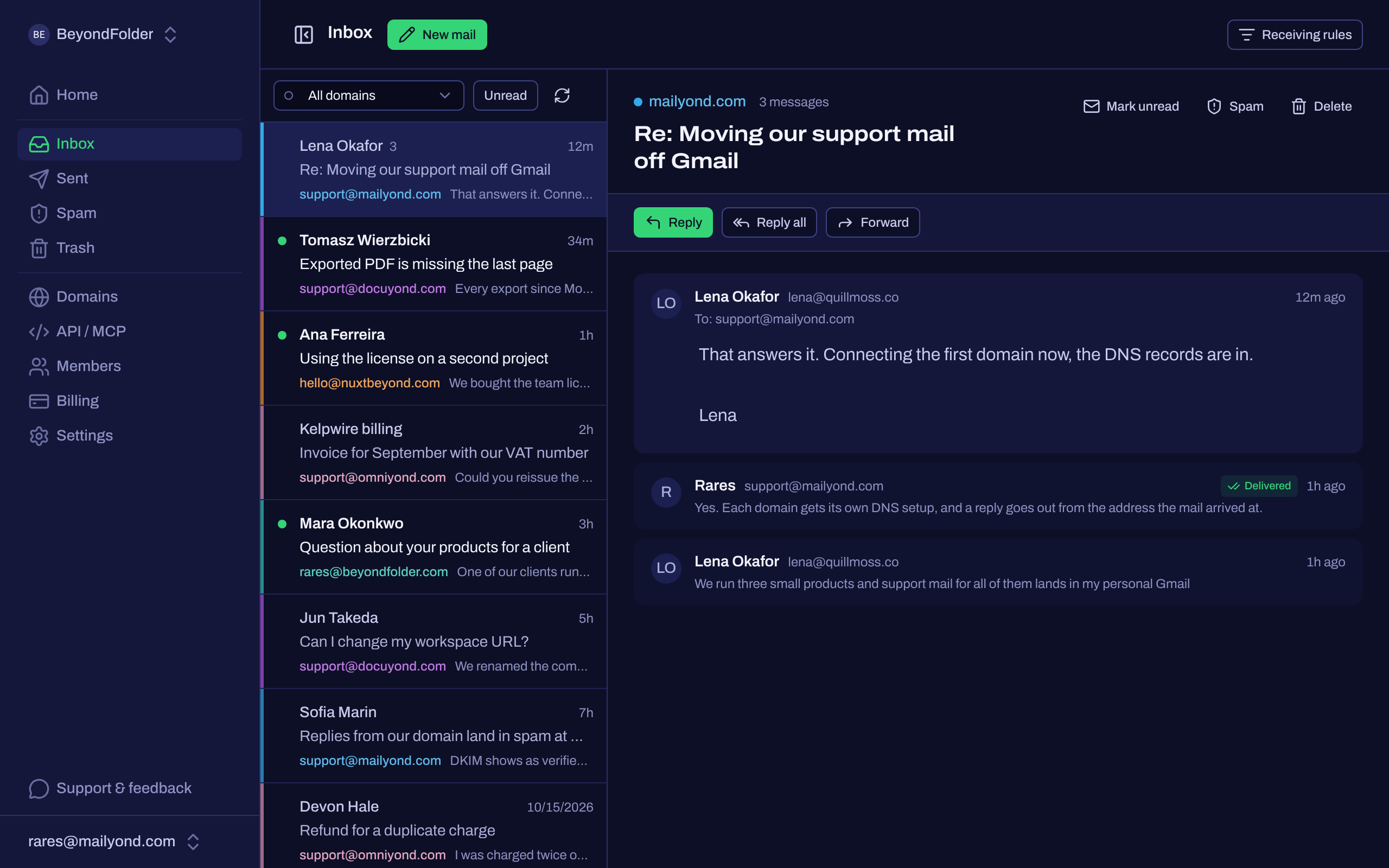
Mail to every product’s domain lands in one inbox, and you answer from the address people wrote to, without forwarding hacks. Connect a subdomain first so your main inbox doesn’t move.
Right now: your first month on the Agency plan is free, and we do the DNS with you on a 15-minute call.
- 15-minute call
- subdomain-first
- first month of the Agency plan free
No mail app? Email support@mailyond.com
What Send-as gave small teams, and what’s changing
For years, Send-as was the quiet trick that let a two-person team look like they had a real support address. That trick is going away.
New setups can be blocked before then
Google says consumer Gmail may restrict new Send-as setups for third-party addresses during the rest of 2026, and the ones still running stop working in January 2027. Paid Workspace accounts keep it.
Forwarding can’t reply as you
A forwarding rule gets mail into an inbox, but every reply goes out from your personal Gmail address instead of the address people wrote to.
Workspace keeps it, one seat per person
One Workspace seat with your other domains added as aliases keeps Send-as working, from $7 a month. Every extra person who answers mail is another seat, and every brand lands in the same inbox.
How Mailyond replaces the hack
One inbox, color-tagged per domain. Reply from the exact address the mail arrived at, so you’re never guessing which brand you’re supposed to be.
One inbox, every domain
Every connected domain lands in the same view, tagged by color so you always know which brand a message is for.
Reply as the right brand
Answer from the address they wrote to. support@ stays support@, hello@ stays hello@.
API on the same domains
The same connected domains can also send transactional mail through the API, if and when you need it.
Subdomain mode
Connect support.yourdomain.com to Mailyond. Your apex domain keeps running on Gmail or Workspace, untouched.
A free Agency month, set up with you
Your first month on the Agency plan is free. We prepare the three records for you, a DKIM TXT, a Return-Path CNAME and an MX, you paste them in, and we watch verification succeed together on a 15-minute call, not a weekend of DNS archaeology. Subdomain-first means it runs alongside your current setup, so nothing you have today has to break first.
Book a 15-min setup + a free Agency month- 15-minute call
- subdomain-first
- first month of the Agency plan free
No mail app? Email support@mailyond.com
Why this exists
I run four products, each on its own domain, and all of them have a feedback form inside the dashboard. A customer submits it, my support address gets the mail, I hit reply, and the answer goes out from my personal Gmail. That happened more than ten times before I noticed, and I still don't know how many of those replies were read and how many got filtered as spam. Send-as is the patch for that, and it is a per-address setup, so it is the step that never quite gets finished when a new domain shows up. Now it has an end date as well. I built Mailyond because I wanted this inbox to exist for myself, and it handles my domains before it handles yours.
Rares, founder
Frequently asked questions
One home base for every domain, before January 2027.
Send and answer email across all your domains, with unlimited addresses on each.
- 15-minute call
- subdomain-first
- first month of the Agency plan free
No mail app? Email support@mailyond.com