Send and answer every domain’s email from Claude Code or Grok Bot
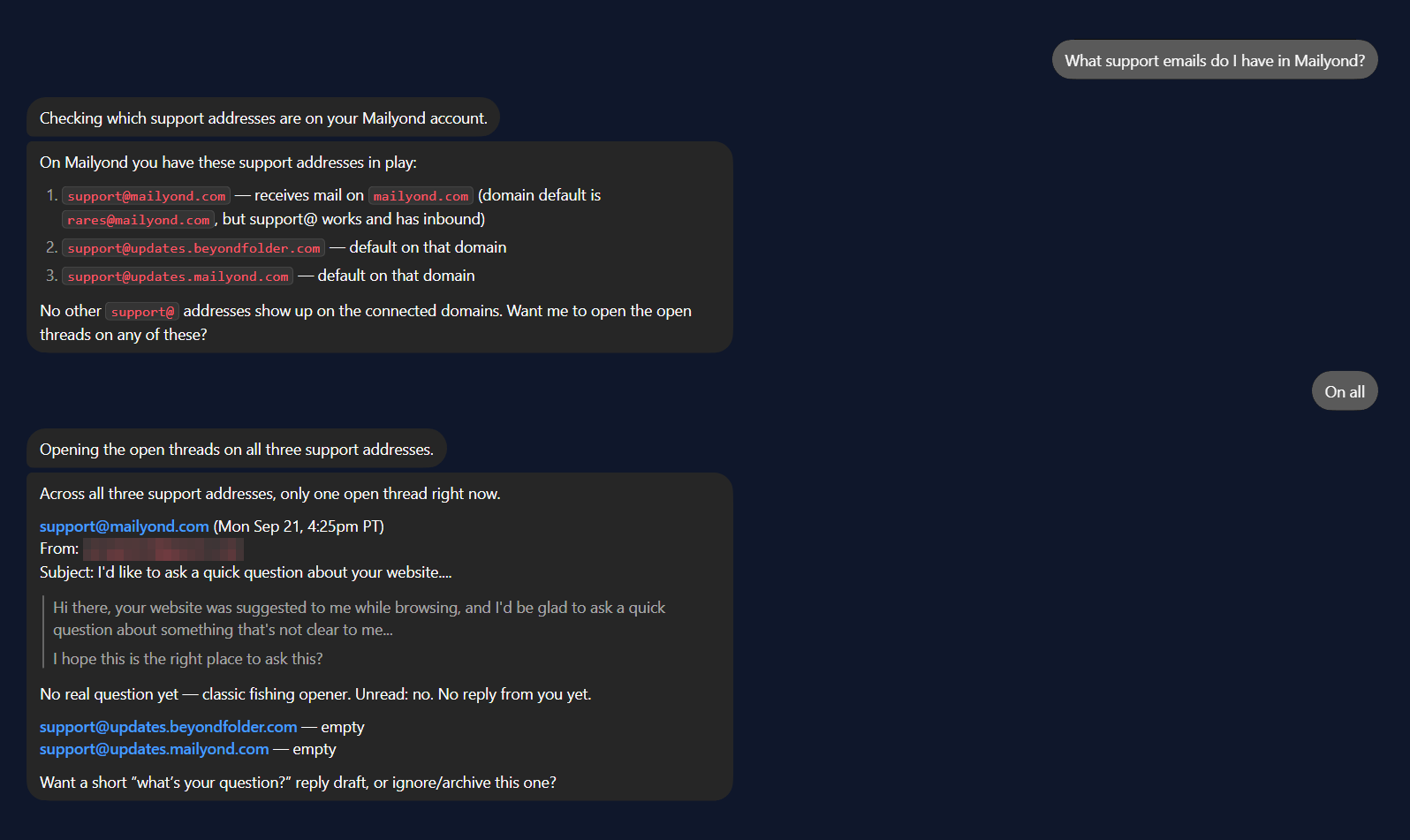
Mailyond’s MCP server wraps the inbox you already connect with DNS: the same domains your app sends from, with replies going out from the address people wrote to.
After signup: connect a domain, then grab your key in /dashboard/api
Get started
Create an account, connect a domain (a subdomain works fine), and add the MCP server to your client.
claude mcp add --transport http \
  mailyond https://mailyond.com/mcp \
  --header "Authorization: Bearer myond_..."
Setup Mailyond mcp server from https://mailyond.com/mcp using API key myond_...Cursor, Windsurf and VS Code take the same URL and header in their own mcp.json: same key, over plain HTTP.
MCP endpoint: https://mailyond.com/mcp. Add it with the snippets above. Manage keys in /dashboard/api
Who this is for
Built for teams already living in an AI client, not teams looking to add another one.
You run more than one product domain
Each with its own support@ or hello@, and no appetite for a separate inbox login per brand.
You already work in Claude Code or Grok Bot
You’d rather read and answer mail from the same window you’re already working in than switch tabs all day.
You want to act, not just watch
Read new mail, draft or send a reply, with no extra seat to pay for.
What the MCP server does
Five tools to read, reply and send, not an autonomous company email account.
- list_domains
- Which domains that key can read and send on.
- list_conversations
- What came in, across every domain or just one of them. Sent and spam on request.
- get_conversation
- The whole thread as plain text.
- reply_to_conversation
- Answers in-thread, from the address the mail arrived at.
- send_email
- A new message from any connected domain.
How it fits
You still own the domains and do the DNS setup, or have us do it with you. The agent works the inbox your customers already write to. It doesn’t get a new address of its own.
The human inbox and the public send API sit right alongside this. Replacing Gmail Send-as? See /send-as
Why this exists
I run four products, each on its own domain, and for months I answered customer replies from my personal Gmail because there was nowhere else for them to land. Mailyond is the inbox I built so I could stop doing that. The MCP server is that same inbox, reachable from the client you already have open. Same connected domains, same reply identity, no extra seat.
Rares, founder
Frequently asked questions
Bring your inbox to the client you already use.
7 days free, then $10 a month for 5 domains.